The Vault: Posts through August 2015
SPAM Bots took over the comments! But I am unhiding these temporarily.
|
I've been helping my wife (@LivingLuxe4Less) customize the look of her new blog, www.LivingLuxeForLess.com. Most free website and blog hosts (e.g. Blogger, WordPress, Weebly) have an option to edit the HTML code of a page or element. You don't need to be a web designer or programmer in order to use the HTML to make the page look exactly how you want. All you need to know is how to copy and paste. 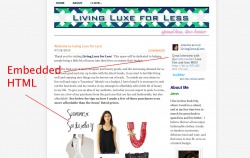 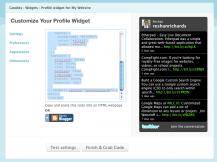 For this site, which was created in Weebly, we added a couple of HTML elements: a Twitter status widget, an interactive image from Polyvore, and an email sign-up via Feedburner. First, we had to generate the code for the element in each respective site. We first went to Twitter's Goodies section, and followed their easy steps to generate the Twitter status widget. With a few easy clicks, a bunch of code was generated. We copied it, went to the Weebly interface and selected a "custom HTML" element. Here we were allowed to paste in the code, and as soon as we saved the element the widget automatically appeared.
The code can look overwhelming but the truth is you don't really have to worry about what it means. Once you get the hang of embedding html into your website or blog, you'll start to notice that embed html options are available on a ton of websites and services.
1 Comment
|
Watch
TEDxNYED: About Assessment
FollowArchives
August 2015
Header photo by Robert S. Donovan
|
 RSS Feed
