The Vault: Posts through August 2015
SPAM Bots took over the comments! But I am unhiding these temporarily.
|
There are a lot of consumer/consumption oriented iPad apps out there, but I thought it would be fun to put together a suite of apps that enable creation and production. These choices are limited to the programs I have had time to play with and investigate (or that I've been curious enough to buy). I'm sure there may be lots of similar / better alternatives available so please let me know about them. Focusing on four areas of creative production (writing, music composition, drawing, and video), I provide two versions in each category (one paid, one free). In many cases I prefer the free approach to the paid solution. Paid Apps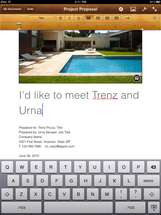 WRITING - Pages ($9.99) It's a pretty steep price, but I have found that it is the most powerful word processing application that allows you to manage design elements (like layout) at a fairly sophisticated level. There are still things to improve (like file management) but the ability to work with images and texts is great. 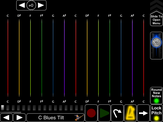 MUSIC COMPOSITION - MorphWiz ($9.99) This is an iPad synthesizer with a vast array of presets that can each be customized to produce some amazing sounds. I especially like that you can record and layer sounds and melodies and save the recordings (WAV files). 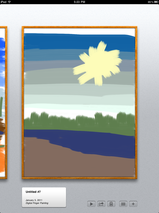 DRAWING - Brushes ($7.99) Brushes has already garnered fame because of the New Yorker covers, and I think its high regard is well deserved. Brushes is an easy to use app that has extremely sophisticated settings that allow an artist to produce beautiful visual creations. It automatically saves each brush stroke so you can replay the artwork from start to finish. 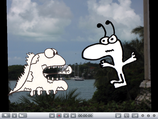 VIDEO - PhotoPuppet ($3.99) I have still yet to see another app that can do what PhotoPuppet can do. The interface takes a little while to get used to, but once going you can create animated movies on your ipad by moving characters around on the iPad stage. You can record audio narration at the same time. Movie files can be saved and exported directly to YouTube. You can import images from your photo-roll, and by taking a screenshot (circle + lock button) with your iPad you can really bring in anything you can find in an app or on the internet into the PhotoPuppet application. You can crop out unwanted pieces of any image. Free Alternatives to the Above Apps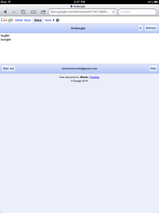 WRITING - Google Docs (online) or Notes (offline) If you've got an internet connection you can create and edit documents that are in your Google Docs account (via Safari). The editing and layout options are very limited, but you can always add the polish later. If you're without internet, the Notes app that comes with the iPad works just fine for basic writing and saving. 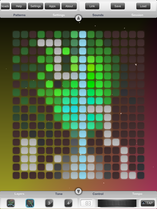 MUSIC COMPOSITION - BeatWave Beatwave's free download comes with a couple of sound schemes (more can be purchased) that you can assemble on up to four layers. The magic of the program is that you draw in patterns on a grid and the app interprets that grid into a musical loop. You can save patterns but you cannot export an audio file. 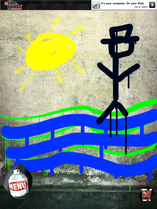 DRAWING - Graffiti Spraycan 2 This app simulates spray-paint drawing in a simple yet satisfying way. There are enough brush and color settings to create a detailed drawing (I'm incapable of providing a sample as evidenced by the masterpiece to the left). You can easily export images via email or to your iPad photo-roll, but you can't save drawings mid-way. 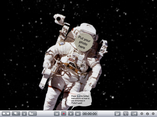 VIDEO - PhotoPuppet Lite
The functionality is the same as the full version, but there is a shorter limit to the video lengths you can save and there are fewer templates and avatars, but you can still do a lot with the free version.
1 Comment
1/15/2011 03:53:41 pm
I've been looking for ipad apps that allow kids to create and share what they know in different formats. Thanks for pulling this list together, very helpful. Your comment will be posted after it is approved.
Leave a Reply. |
Watch
TEDxNYED: About Assessment
FollowArchives
August 2015
Header photo by Robert S. Donovan
|
 RSS Feed
